NewWe now support eVouchers SÚKL

One app for your entire optical store

From easy order management to satisfied customers.

EET 2.0

We’re preparing OptiLynx for EET 2.0

Building on our experience with the original EET system, we’re preparing support for EET 2.0 directly in the OptiLynx point-of-sale system.

We’ll let you know in advance when support is available and what you need to set up.

Ask about EET 2.0

What can OptiLynx do?

All transactions clearly

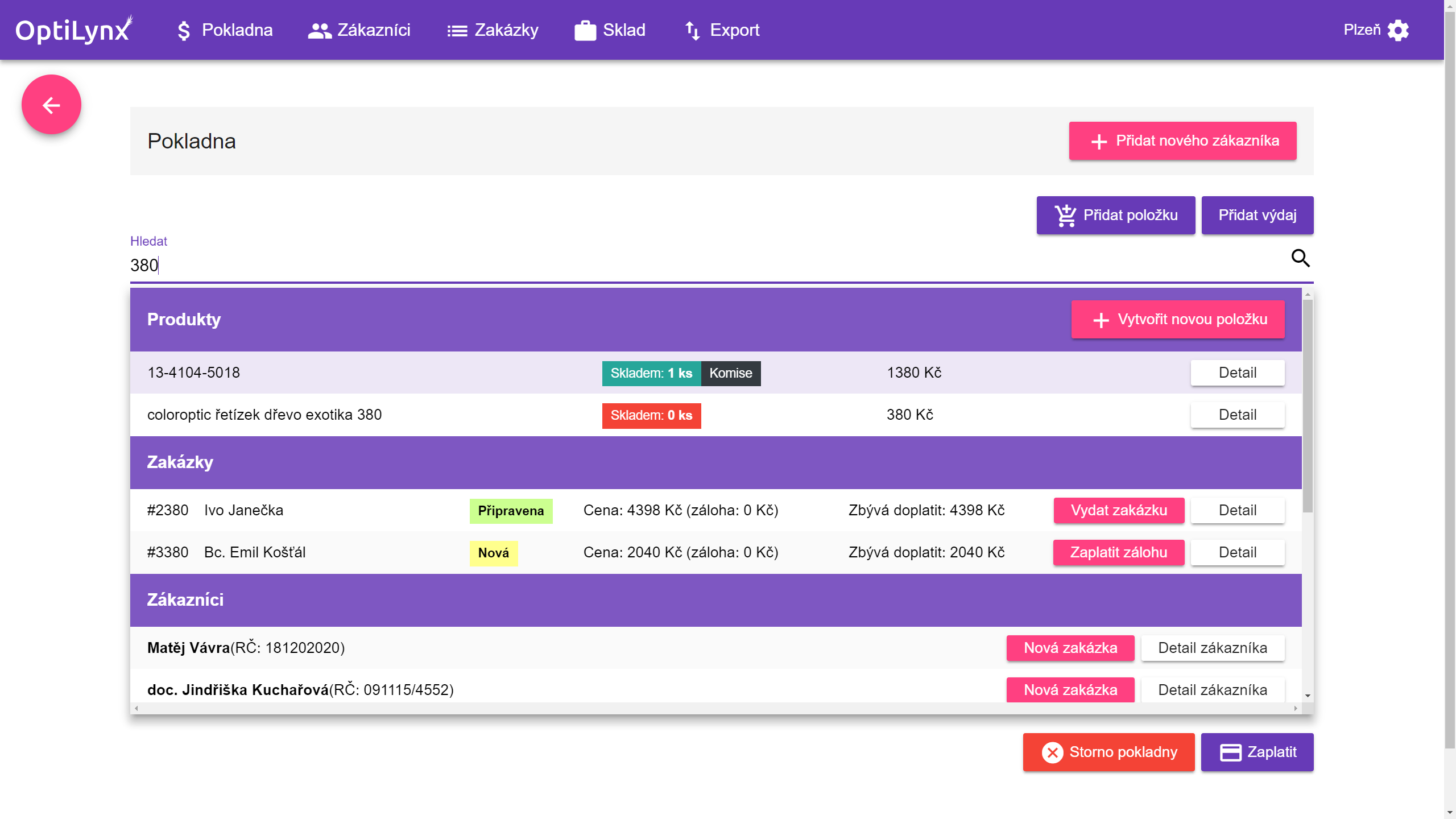
Overview of items in the cash register, monthly cash register journal, history of the cash register including its opening and closing times, and an overview of the cash register in any time period, all offered by OptiLynx.
Customer records

You will obtain a perfect record of customers and revenues, and you can additionally process the data statistically. OptiLynx fully supports corporate clientele, including invoice sales.

eVouchers SÚKL

Load eVouchers directly from the SÚKL system and use them immediately in an order. OptiLynx automatically transfers data from the eVoucher, displays complete information, and prepares documents for reporting to health insurance companies. Minimize administration and significantly reduce errors when processing vouchers.

More about eVoucher management

Orders

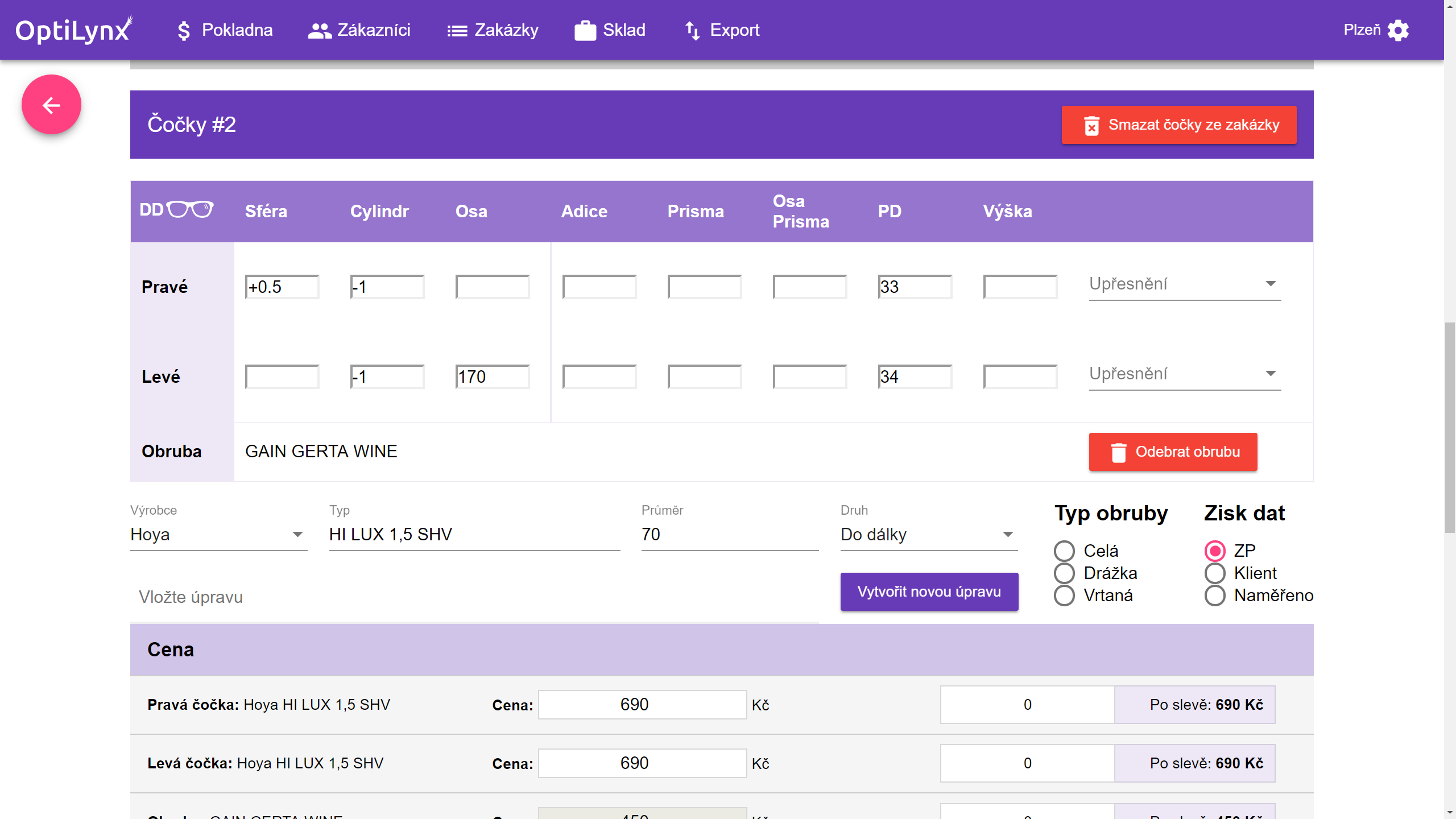
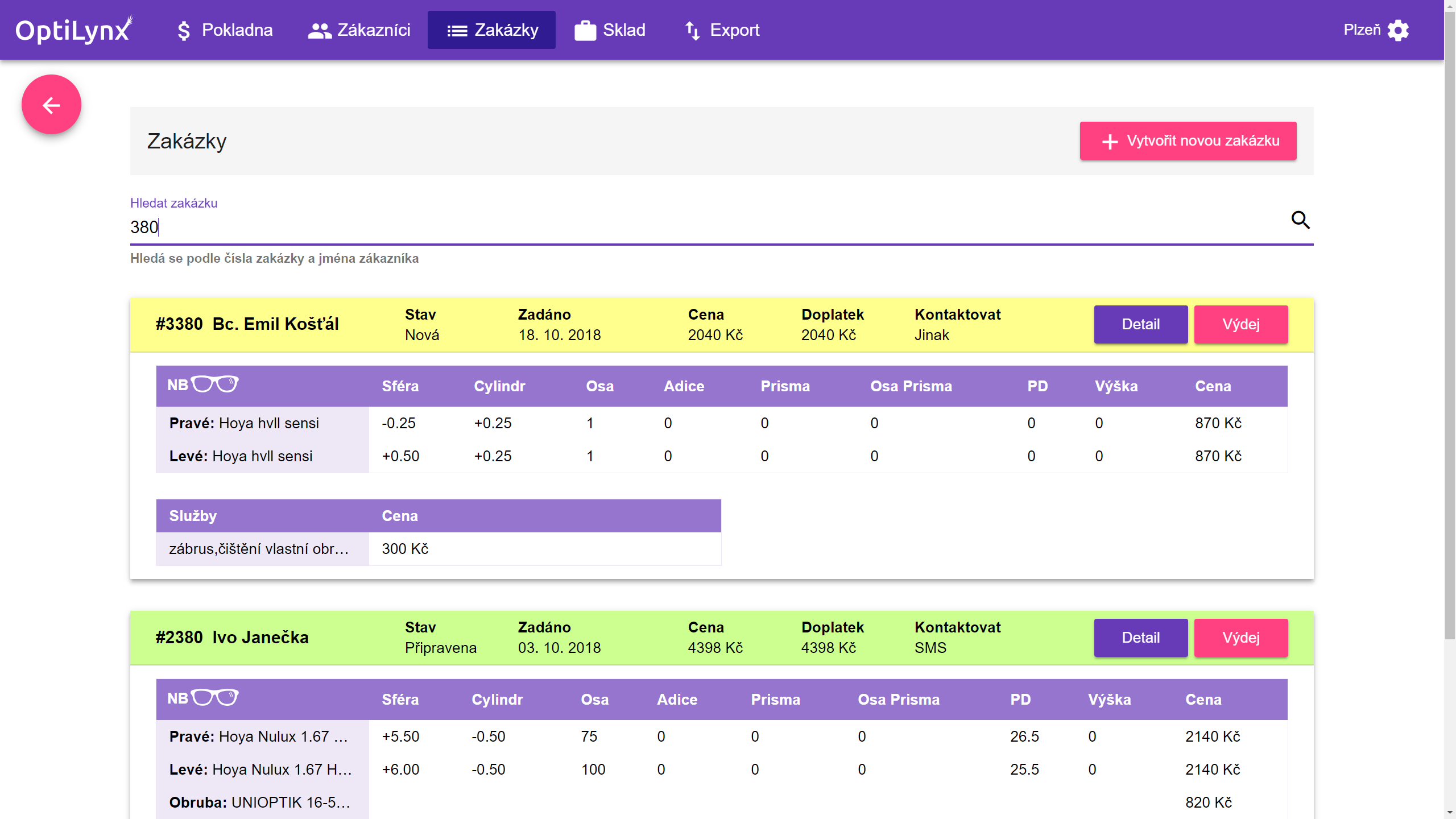
Keep all orders clearly and securely stored. Orders are color-coded based on their status—new, ready for pickup, issued. You can easily find an order by its number or the customer’s name.

Moving from your old system

You don’t have to start from scratch. We can bring over your inventory, customers, suppliers and orders from the system you use today. All it takes is data in a machine-readable format, such as CSV or XLSX. We go through it with you beforehand and tell you what we can transfer to OptiLynx.

Warehouse

Utilize OptiLynx for inventory management as well. You can filter items according to various parameters, and furthermore, inventory items are directly linked to the cash register. Additionally, you have all invoices at hand, including their detailed breakdowns. Do you have multiple warehouses or branches? OptiLynx allows you to easily transfer items between warehouses.
System demo
Questions and Answers

Before Purchase

Can I buy a license online and set everything up myself?

No, OptiLynx cannot be bought self-service online. Before you sign up, please get in touch so we can go through your requirements and how you want to use the system. The setup itself is then done remotely and does not require a technician to visit your premises.

How does the OptiLynx setup work, and what do I need to do?

Getting OptiLynx up and running takes a few simple steps: 1. Consultation and a trial of the system First we go through your requirements and how you want to use OptiLynx. We then give you access to a test environment where you can try the system yourself. 2. A license for your branch or branches Once you decide to use OptiLynx, we prepare a license based on the number of your branches and create the user accounts you need. 3. Data preparation and system setup If you are switching from another system, we can import the supported data for you. You then fill in the details of your organization and each branch, and set up the receipt printer and the order sheet printer. 4. Training and go-live Before you go live, we walk you and your staff through the system and its basic use. Once the setup is finished, you can start using OptiLynx day to day in your optical store.

What equipment will I need to run OptiLynx?

For everyday use of OptiLynx, all you need is a computer, tablet or mobile phone with an internet connection. If you use OptiLynx at the point of sale, you will need a network thermal printer with a LAN connection to print receipts. If you accept card payments, you need your own payment terminal. A standard A4 printer is also useful for printing order sheets and other documents. We are happy to help you choose the right equipment and, if needed, we can also supply the printers.

What can be imported into OptiLynx?

If you are switching from another system, we can import inventory items, customers, orders, services and suppliers into OptiLynx. The data needs to be supplied in a machine-readable format, such as CSV or XLSX. Before the import itself, we always go through the available data with you and check which of it can be transferred to OptiLynx.

What payment options do you offer for OptiLynx?

With OptiLynx you can choose between a one-time upfront payment and a regular monthly fee. The one-time upfront payment cannot be split into installments afterwards.

How does OptiLynx work if I have more than one branch?

OptiLynx supports running multiple branches within a single system. Each branch can keep its own stock, and you can transfer inventory items between them. You can manage the reports for health insurance companies for all your branches from one place, so there is no need to run each location in a separate system.

On how many devices can I use OptiLynx?

The number of devices is not limited. You can use OptiLynx on a computer, tablet or mobile phone and access your data from anywhere with an internet connection. You can also use several devices at one branch at the same time, for example a computer at the counter and another device in the stockroom or office.

Do I pay for every employee who uses OptiLynx?

No. The price of OptiLynx depends on the number of branches, not the number of employees. Several employees can use the system at one branch without the price going up per user. Employees can sign in on different devices and, while working, select the branch and terminal they are currently at.

Will OptiLynx support EET 2.0?

Yes. OptiLynx supports the original EET system and will also be ready for EET 2.0. We will adapt OptiLynx to the current technical requirements of the Czech Financial Administration so that sales can be recorded directly from the system in line with the EET 2.0 requirements.

During Use

How does OptiLynx technical support work?

We provide technical support on working days during business hours. You can reach us by phone or via WhatsApp. If a problem needs to be solved directly on your device, we can connect via remote desktop by arrangement and help you sort it out.

How does OptiLynx work with SÚKL eVouchers?

OptiLynx lets you load an eVoucher directly from the SÚKL system and use its details when processing an order. The eVoucher data is transferred into the system automatically, so you do not have to retype it. OptiLynx also prepares the documents for reporting to health insurance companies, which simplifies the paperwork and helps reduce errors when processing vouchers. To start using eVouchers you need a SÚKL communication (SSL) certificate, a qualified personal certificate, and the relevant access rights and registration for working with the ePoukaz system.

How is data in OptiLynx secured and backed up?

Data in OptiLynx is transferred over an encrypted HTTPS connection. Backups run automatically every day, so you do not need to make backups manually.

Are OptiLynx updates included in the price?

Yes. Regular OptiLynx updates are included in the price and are applied automatically. There is nothing to download or install manually. Once a new version is released, simply sign out of OptiLynx and sign back in to load the update.

Price list

Don’t want to pay the installation fee?

Start using OptiLynx without initial investment, choose one of the plans that suits you.

1

First branch

Installation fee

Free

Monthly subscription

1 549 Kč

2

Second branch

Installation fee

Free

Monthly subscription

1 199 Kč

3

Third branch

Installation fee

Free

Monthly subscription

1 099 Kč

4

Fourth branch

Installation fee

Free

Monthly subscription

999 Kč

5+

Fifth and subsequent branches

Installation fee

Free

Monthly subscription

Individually

Every branch includes

  • Unlimited users and devices—you pay per branch, not per employee
  • Regular updates included in the price
  • Access from anywhere with an internet connection—computer, tablet or phone
  • SÚKL eVouchers and the paperwork for health insurers
  • Help getting the system running, including receipt printer instructions

All prices are exclusive of VAT.

Are you interested?

Get in touch with us through one of the following ways

Operated by Jagu s.r.o.

Company ID 28426126

VAT ID CZ28426126

Billing address Tisem 22, 257 56

Office Evropská 2589/33B, 160 00 Praha 6-Dejvice

Registered in the Commercial Register kept by the Municipal Court in Prague, Section C, File 140625